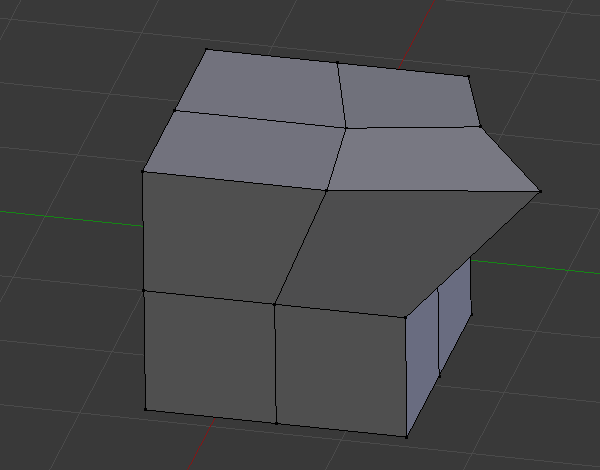
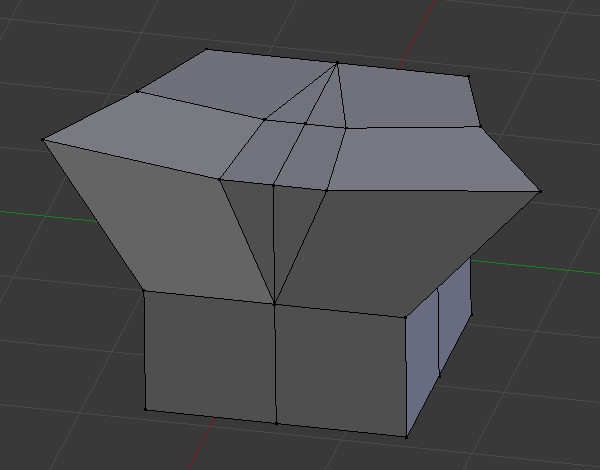
Symmetrize
Reference
- Mode:
Edit Mode
- Menu:
The Symmetrize operator is a quick way to make a mesh symmetrical. It does the following:
Cuts the selected geometry at the origin of the object using an infinite plane, much like Bisect.
Deletes the geometry on one side of the plane.
Copies the geometry on the other side of the plane and mirrors it.
Merges the vertices that lie on the plane.
See also
Mesh Symmetry continuously maintains symmetry while editing the mesh.
The Mirror Modifier symmetrizes the mesh non-destructively.
The Mirror operator simply flips the mesh without cutting or copying.
Options
- Direction
The axis and direction of the effect, in the object’s local space. For example, -X to +X deletes the geometry that’s to the right of the object origin (positive X coordinate) and replaces it by a mirrored copy of the geometry on the left (negative X coordinate).
- Threshold
The vertices in this range will be snapped to the plane of symmetry.